How Long Does It Take to Get TSA PreCheck? (Timeline)
The quick answer
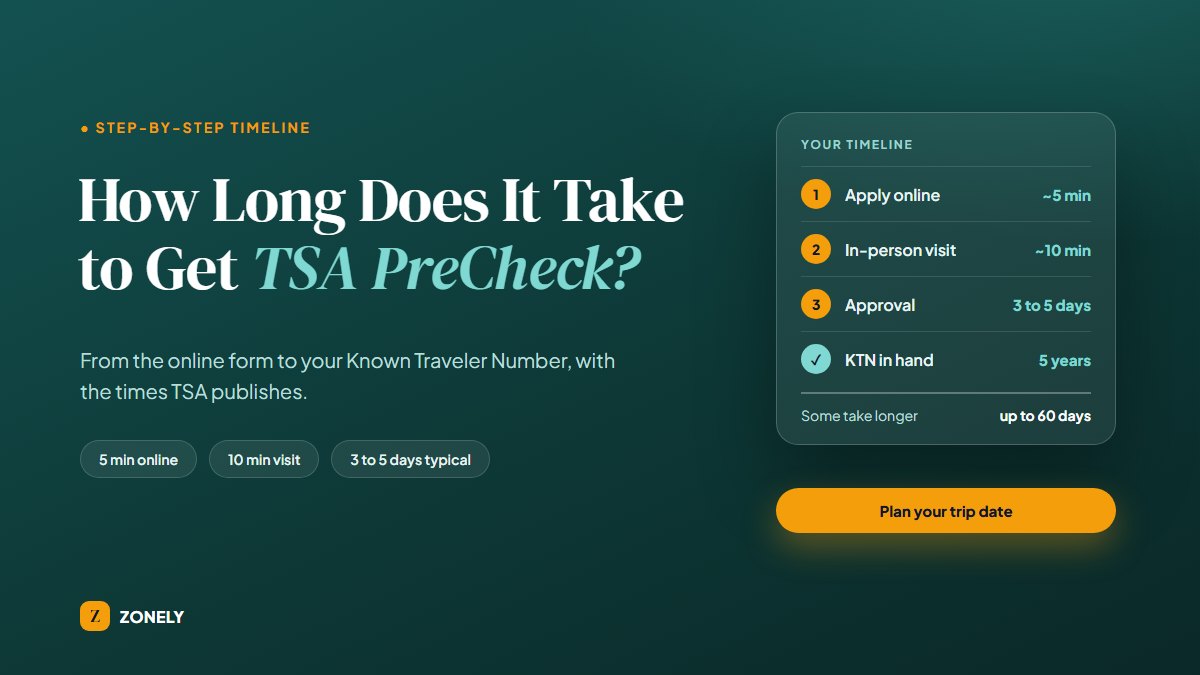
Most people get their TSA PreCheck approval in 3 to 5 days, and TSA says some applications take up to 60 days. The online application takes about 5 minutes and the required in-person visit about 10. TSA does not state how long you wait for an appointment, so if you fly soon, start at least a month ahead.
That is the short version of the TSA PreCheck timeline. Below you will find every stage in order, what to bring, what can slow things down, how to check your status and find your Known Traveler Number (KTN), and a planner that compares your next flight date with the approval times TSA states. Every figure comes from TSA.gov or CBP.gov and was checked on October 4, 2026.
TSA PreCheck at a glance
- Online application
- About 5 minutes
- In-person visit
- About 10 minutes
- Approval (your KTN)
- Most in 3 to 5 days, some up to 60
- Membership length
- 5 years
- Fee (new applicants)
- $79.75 to $85, by provider
- Who can apply
- U.S. citizens, U.S. nationals, lawful permanent residents
What this guide covers
- The TSA PreCheck processing time at a glance
- Trip-date planner: will you have it in time?
- Step by step: how to get TSA PreCheck
- Who can apply
- What to bring to your appointment
- What can slow your approval down
- How to check your status and find your KTN
- What to do if it takes longer than expected
- After you are approved
- Which enrollment provider to use
- Frequently asked questions
1. The TSA PreCheck processing time at a glance
There are five stages between deciding to apply and seeing PreCheck on your boarding pass. Only some of them have a time that TSA publishes, so the table marks which is which.
- 1Apply onlineAbout 5 minutes
- 2Book a visitDepends on location
- 3In-person visitAbout 10 minutes
- 4Approval3 to 5 days, up to 60
- 5Add your KTNA few minutes
| Stage | How long | What happens |
|---|---|---|
| 1. Apply online | About 5 minutes | You start your application with one of the three enrollment providers. |
| 2. Book an appointment | Varies by location | You choose an in-person enrollment center. The TSA pages we checked do not give a typical wait. |
| 3. In-person visit | About 10 minutes | Your documents are checked, you are fingerprinted and photographed, and you pay. |
| 4. Approval | Most 3 to 5 days, some up to 60 | You receive your Known Traveler Number (KTN) from the provider. |
| 5. Add your KTN | A few minutes | You enter the number in your airline reservations so PreCheck can show on your boarding pass. |
Reading the table, two stages are short and fixed (the form and the visit), one is a range TSA states (approval), and one is unknown (the appointment wait). That unknown is why a single "number of days" answer from any website can only be a guess.
Our planning rule, not a TSA figure. TSA does not give a total, because the appointment wait depends on where you live. If you have a trip coming up, start at least a month ahead, so a slow appointment calendar or a longer review does not leave you without a KTN at the airport.
2. Trip-date planner: will you have it in time?
Enter the date of your next flight. The planner counts the days between today and then, and compares them with the approval window TSA states. It uses your browser's clock and nothing you enter is sent anywhere.
The planner only does arithmetic on TSA's stated approval times plus our one-month cushion. It cannot know your appointment availability or whether your application needs extra review.
3. Step by step: how to get TSA PreCheck
- Pick an enrollment provider and apply online. TSA lists three providers: IDEMIA, Telos and CLEAR. The online application takes about five minutes and starts your enrollment.
- Schedule your in-person appointment. You must visit an enrollment center once. Choose a location that fits your schedule, since availability depends on the center.
- Bring the right documents. You need proof of identity and of citizenship or immigration status. The names on every document must match the name on your application exactly. The documents section below lists what TSA accepts.
- Attend the visit. TSA says the in-person visit typically lasts about 10 minutes: your documents are checked, you are fingerprinted and photographed, and you pay the fee.
- Wait for approval. Most applicants receive their KTN in 3 to 5 days, and some applications can take up to 60 days. You can be updated by email, phone or text, or by checking online with your provider.
- Add your KTN to every airline reservation. Approval alone does not put PreCheck on your boarding pass. See after you are approved.
4. Who can apply
TSA says the PreCheck application program is only open to U.S. citizens, U.S. nationals and lawful permanent residents. Before you pay, check these points:
- Disqualifying violations. TSA's FAQ lists violations that can disqualify an applicant, including assault, threats or interference with flight crew, assault or threats against anyone on an aircraft, interference with security operations, access control violations, providing false or fraudulent documents, making a bomb threat, and bringing a firearm, explosive or other prohibited item to an airport or onto an aircraft. This summary is not a full legal list, so read the original on TSA's FAQ.
- Children. TSA says children 17 and under are eligible for PreCheck screening if they meet certain criteria, and children 12 and under can join a parent or guardian without needing PreCheck on their own boarding pass.
- No guarantee. Approval gives you eligibility, not a promise. TSA states that all travelers will be screened and that no individual is guaranteed expedited screening.
5. What to bring to your appointment
Documents are the easiest thing to prepare in advance, and TSA is strict about names. These are the requirements TSA lists on its identification page. Tick them off as you gather them; the boxes are for your own use and are not saved.
An expired U.S. passport within 12 months of expiration can count as citizenship proof under List B, but it cannot be your only document. Always check the current list on TSA's identification page before you go.
6. What can slow your approval down
TSA confirms that some applications take up to 60 days, but the TSA pages we checked do not explain which applications take longer. These are the points you can control:
- Name mismatches. Make sure your application name, your documents and, later, your airline reservations all match exactly.
- Missing or wrong documents. Bring the exact documents TSA lists, plus certified name change papers if they apply.
- A slow appointment calendar. Book early, and look at more than one location if your nearest center is full.
- Applying right before a trip. If your flight is within a few weeks, assume you may not have your KTN in time.
- Eligibility questions. If any of the disqualifying violations in the eligibility section could apply to you, read TSA's FAQ before paying the fee.
7. How to check your status and find your KTN
TSA says applicants can get updates on their enrollment status by email, phone, text, or by checking online with the enrollment provider they applied through. If you cannot find your Known Traveler Number (your "TSA PreCheck number") or are unsure of your status, TSA points you to its KTN lookup tool.
- Check your provider account or messages. Your approval notice from IDEMIA, Telos or CLEAR contains your KTN.
- Use the official KTN lookup tool. It is available at TSA's KTN lookup page. You enter your details to look up your number or status.
- Save the number somewhere safe. Add it to your phone's contacts or your airline profile so you never have to look it up again.
8. What to do if it takes longer than expected
If your application is still pending after several weeks, or you have gone past the 60 days TSA mentions, TSA suggests two places to go:
- Contact your enrollment provider (IDEMIA, Telos or CLEAR), since they handle your application.
- Contact TSA: through @AskTSA, Facebook Messenger, Apple Business Chat, by texting "Travel" to 275-872, or by calling (866) 289-9673.
Keep your application confirmation handy when you reach out, so they can find your case quickly.
9. After you are approved
Getting approved is not the last step. To see TSA PreCheck on your boarding pass, TSA says you must add your KTN in the "KTN" field of all your airline reservations, double-checking you entered the digits correctly. Your reservation name must also match your enrollment name exactly, including any middle name or initial, and your date of birth must be correct. The benefit is not automatic.
Your membership then lasts five years, and TSA recommends renewing at least 60 days before it expires. Five years is easy to forget, and an expired membership drops you back into standard screening lines. If you tend to lose track of dates, a reminder helps. The TSA PreCheck Renewal Tracker is a free Android app we publish at Zonely that counts down to your expiration date.
Get a reminder before your PreCheck expires
The free TSA PreCheck Renewal Tracker counts down to your expiration date and sends reminders at 60 days and 7 days before it ends. No account needed. Available for Android.
Get it on Google Play10. Which enrollment provider to use
TSA lists three authorized providers. The process is the same, but the fee and the nearest location differ, so compare both before you apply. These initial enrollment fees come from TSA's PreCheck page, checked on October 4, 2026.
| Provider | Initial enrollment fee |
|---|---|
| IDEMIA | $79.75 |
| CLEAR | $84.95 |
| Telos | $85.00 |
TSA describes the cost as five years of benefits for $85 or less. That is roughly $16 to $17 a year at the top of the range. Renewal prices are lower and also vary by provider. Fees and locations change, so confirm them on TSA's PreCheck page before you apply.
TSA PreCheck or Global Entry?
If you travel abroad, Global Entry may be worth comparing. CBP lists a $120 fee and a five-year membership, and says Global Entry includes TSA PreCheck access. Its application has a different path: you apply and pay, CBP completes a background check, and you attend an in-person interview.
| TSA PreCheck | Global Entry | |
|---|---|---|
| Fee | $79.75 to $85 | $120 |
| Membership | 5 years | 5 years |
| Run by | TSA, through IDEMIA, Telos or CLEAR | U.S. Customs and Border Protection (CBP) |
| Includes TSA PreCheck | Yes | Yes |
| Process | Online application, then an in-person visit | Application, background check, then an interview |